How to Generate a UPI QR Code (Step-by-Step)
Complete practical walkthrough on how to generate upi qr code payment stickers, standalone invoice codes, and counter standees for any Indian bank account.
Accepting contactless digital payments in India has never been simpler. With the Unified Payments Interface (UPI) ecosystem governed by the National Payments Corporation of India (NPCI), you do not need expensive point-of-sale card swiping machines or complicated merchant gateway accounts. By using a standard UPI QR code generator, any shopkeeper, freelancer, vendor, or individual can turn their existing bank account into a direct digital payment terminal in seconds.
This guide walks you through the exact 4-step workflow to generate, verify, download, and display your universal static payment QR code with complete privacy and zero transaction fees.
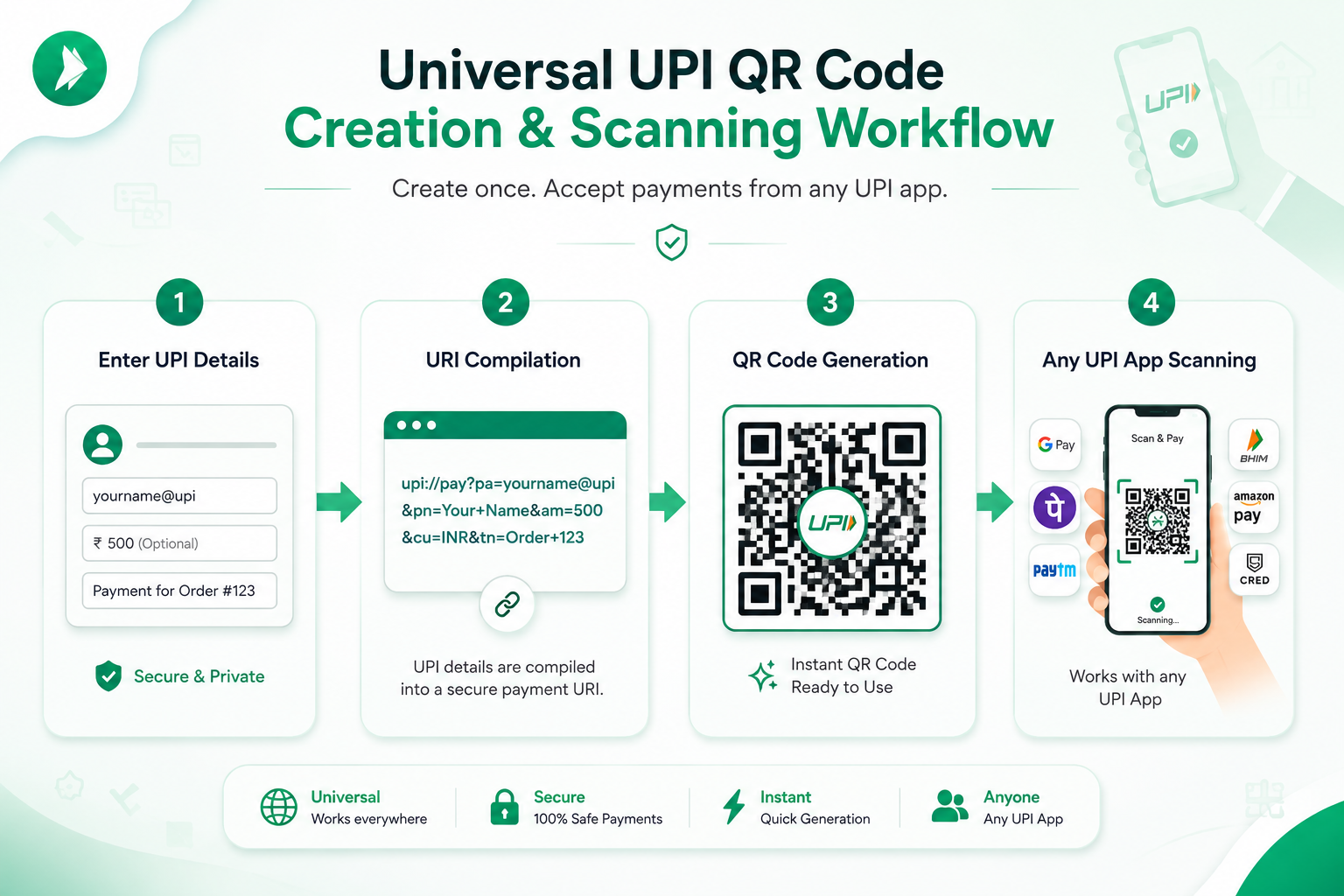
Step 1: Enter Your Payee UPI ID (VPA)
Your Virtual Payment Address (VPA / UPI ID) is the financial address that routes money directly to your registered bank account. Unlike traditional bank account numbers and IFSC codes, a UPI ID is short, memorable, and safe to share publicly.
Type your active UPI ID into the input field. If you are unsure where to locate your VPA, simply open your favorite UPI application on your mobile phone:
- Google Pay: Tap your profile picture at the top-right corner. Your handle looks like
yourname@okaxis,yourname@okhdfcbank, oryourname@okicici. - PhonePe: Tap your profile icon → UPI IDs. Typical handles end with
@ybl(Yes Bank) or@ibl(ICICI Bank). - Paytm: Open the sidebar menu. Your primary handle is displayed under your mobile number, ending with
@paytm. - BHIM App: Displayed prominently on the home screen as
mobilenumber@upi. - HDFC, ICICI, SBI Mobile Banking: Listed under the UPI / BHIM section of your bank's official app.
@ symbol. An incorrect suffix will cause customer payments to fail or route to an inactive address.
Step 2: Enter Your Payee or Business Name
Enter the official name registered with your bank account or the trading name of your business (e.g., Sharma General Store or Rahul Verma Freelance).
When a customer scans your printed QR code with Google Pay, Paytm, or PhonePe, the application checks NPCI's registry and presents this payee name on their confirmation screen. Having a clean, recognizable name provides immediate visual reassurance to your customers before they authorize their payment PIN.
Step 3: Specify Amount and Transaction Note (Optional)
Depending on how you intend to use your QR code, you can keep the payment amount open or lock it to an exact rupee figure:
- Open Amount (Default for Store Counters): Leave the "Specify Fixed Amount" toggle turned off. Customers enter their custom bill total after scanning. Ideal for general retail, grocery counters, and restaurants.
- Fixed Amount (For Invoices & Specific Fees): Toggle the switch on and enter the exact figure (e.g. ₹499.00 or ₹1,500.00). The customer's UPI app automatically locks the amount, preventing underpayment or manual typing mistakes.
- Transaction Note: Add a memo such as Order #1042, Consultation Fee, or Maintenance Rent. This note is embedded into the customer's payment history and your bank statement for effortless reconciliation.
Under the hood, our tool compiles these parameters into a standardized NPCI URI deep link:
Step 4: Live Preview, Test-Scan, and Download
Your QR matrix renders instantaneously on the right-hand panel inside your web browser. There is no submission wait time or page reload.
Before printing multiple copies, perform a quick 5-second test scan with your own phone camera or UPI app. Once verified, choose your preferred export format:
- 📥 Download PNG: High-resolution 300 DPI image file suitable for WhatsApp messaging, email signatures, and standard desktop viewing.
- 📐 Download SVG: Lossless vector graphic format for professional printing, large banners, flex boards, and graphic design software.
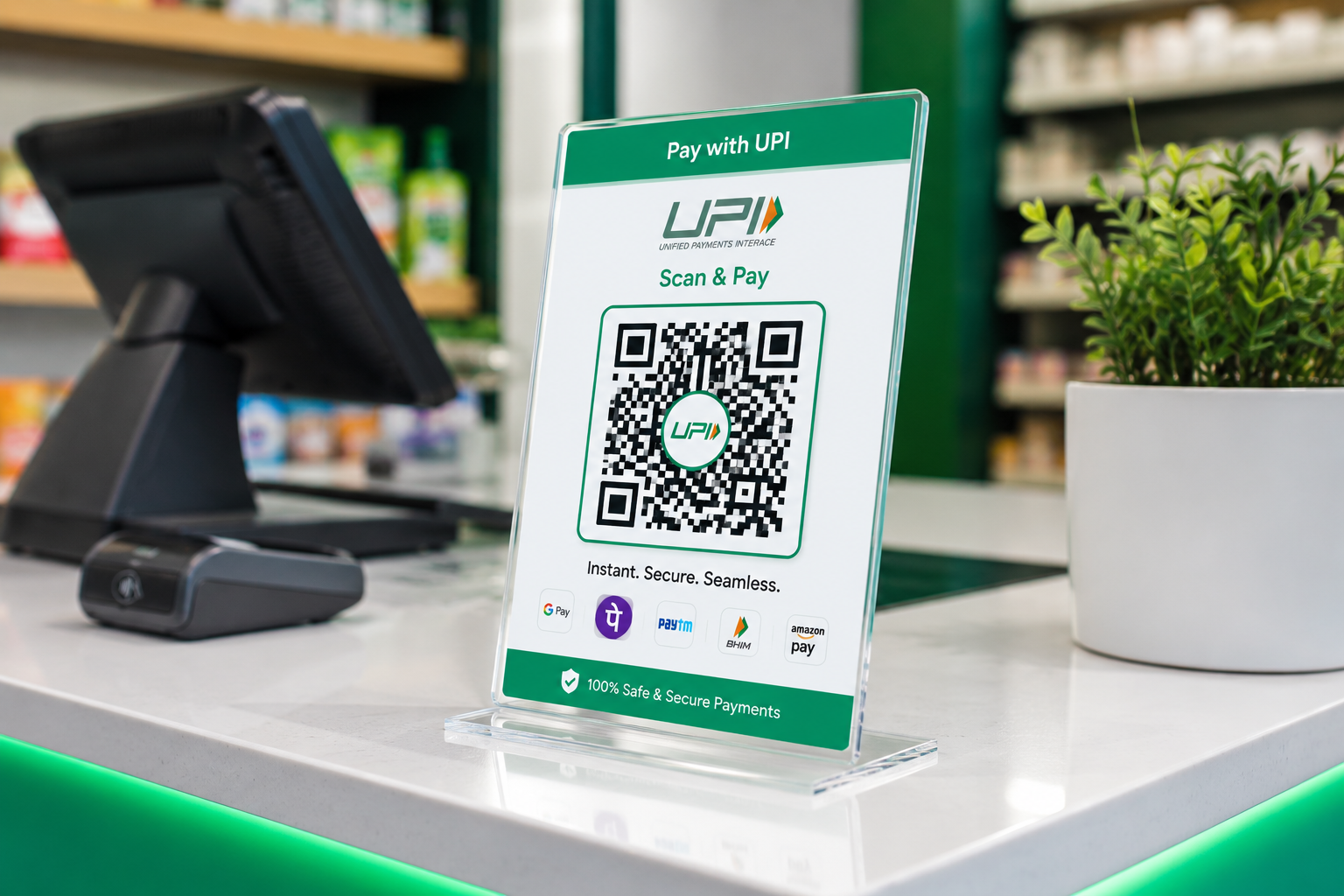
- 🖨️ Print Counter Standee (A4): Opens a pre-formatted print layout with your QR code, business name, and "Scan & Pay" instructions ready for an acrylic counter frame.
Create Your Free UPI Payment QR Code Now
Generate a universal, cross-app UPI QR code in less than 30 seconds with 100% client-side privacy.
⚡ Generate UPI QR Code NowUnderstanding the Technology Behind UPI Payment QR Codes
How does a single printed black-and-white square allow a customer with Google Pay to send funds directly into your State Bank of India account registered via PhonePe? The magic lies in the NPCI UPI Deep Linking Framework.
In traditional card payments, the merchant requires a dedicated acquiring bank, point-of-sale hardware, and paying card networks (Visa, Mastercard, RuPay) which levy a 1% to 2% Merchant Discount Rate (MDR) on every swipe.
UPI bypasses this friction entirely through a universal URI schema (upi://pay). When any UPI application's scanner reads this URI, the operating system invokes the banking app's payment activity, parses the payee parameters, and initiates an immediate settlement across the IMPS interbank settlement pipeline.
| URI Parameter | Full Name | Purpose & Behavior in App |
|---|---|---|
pa |
Payee Address | The recipient's UPI VPA (e.g. store@okaxis). Required for all payments. |
pn |
Payee Name | Display name presented to the customer to prevent fraud and accidental transfers. |
am |
Amount | Preset transaction sum in INR. If omitted, customer enters their own amount. |
cu |
Currency | Always set to INR for transactions operating within the Indian banking grid. |
tn |
Transaction Note | Description or order ID shown on both sender and receiver banking passbooks. |
How to Test and Verify Your QR Code Before Displaying It
Experienced merchants always test their QR codes before displaying them on public counters or sending them on commercial invoices. Follow this simple 3-step validation protocol:
- Screen Test: Keep your computer monitor or tablet open with the live preview. Open Google Pay, PhonePe, or BHIM on your smartphone and scan the screen.
- Verify Payee Details: Ensure that your registered business or personal name appears accurately without any spelling errors.
- Send a ₹1 Test Payment: Complete a ₹1 test transfer to yourself. Verify that you receive an instant credit SMS from your bank within 10 to 15 seconds.
Best Practices for Displaying Your Printed QR Standee
To ensure lightning-fast checkout speeds and protect your business from physical tampering, adhere to these retail display guidelines:
- Use an Acrylic Standee: Slide your printed A4 sheet into a clear acrylic T-stand or L-stand. Avoid unprotected paper stickers pasted on wooden counters which can wear out from moisture or be covered up by bad actors.
- Maintain Good Lighting: Position the QR standee in an evenly lit section of your cash desk. Avoid harsh direct overhead spotlights that cause glass glare on phone cameras.
- Clean the Stand Daily: Dust, oil smudges, and moisture can reduce QR readability. Wipe the acrylic stand daily with a dry microfiber cloth.
Frequently Asked Questions About Generating UPI QR Codes
Do I need to install any app or create an account to generate a UPI QR code?
No. Our generator runs 100% in your web browser. You do not need to register, provide an email, enter an OTP, or install any software. Simply enter your existing UPI ID and your QR code is generated instantly on screen.
Will the generated QR code work if a customer pays with Google Pay and I have a Paytm UPI ID?
Yes, absolutely. Because the QR code follows the universal NPCI UPI deep-linking specification (upi://pay), all certified UPI applications in India—including Google Pay, PhonePe, Paytm, BHIM, and bank apps—can read and pay to any valid VPA regardless of which app registered it.
How is my banking data kept private during generation?
All processing happens locally on your device via client-side JavaScript. Your UPI ID, payee name, and payment amounts are never transmitted to any external server or saved in any database. You can even disconnect your internet after loading the page and generate QR codes offline.
Can I edit my UPI QR code after printing it?
Static QR codes encode data permanently into the pixel pattern. If you change your bank account, UPI ID, or want a different fixed amount, you simply generate a new QR code on this website in 15 seconds and print the updated standee.